RTX 5090 vs RTX 5080 vs RTX 5070 Ti vs RTX 5070 Laptop GPU: Advanced Buying Guide for 2026
Choosing a high-performance laptop in 2026 is becoming more complicated because the GPU name alone no longer tells you how fast a laptop will actually be. NVIDIA’s GeForce RTX 50-series Laptop GPUs use the Blackwell architecture and bring major advances in AI processing, neural rendering, ray tracing and creative acceleration, but laptop manufacturers can configure these GPUs with different power limits, cooling systems, displays, processors and memory configurations.
That means an RTX 5090 Laptop GPU inside a thin premium notebook may behave very differently from an RTX 5090 installed in a large desktop-replacement gaming laptop. The same issue applies to the RTX 5080, RTX 5070 Ti and RTX 5070.
For buyers spending serious money on a premium laptop, understanding GPU subsystem power, VRAM, memory bandwidth, CUDA core count, AI performance and thermal design is becoming more important than simply buying the highest model number.
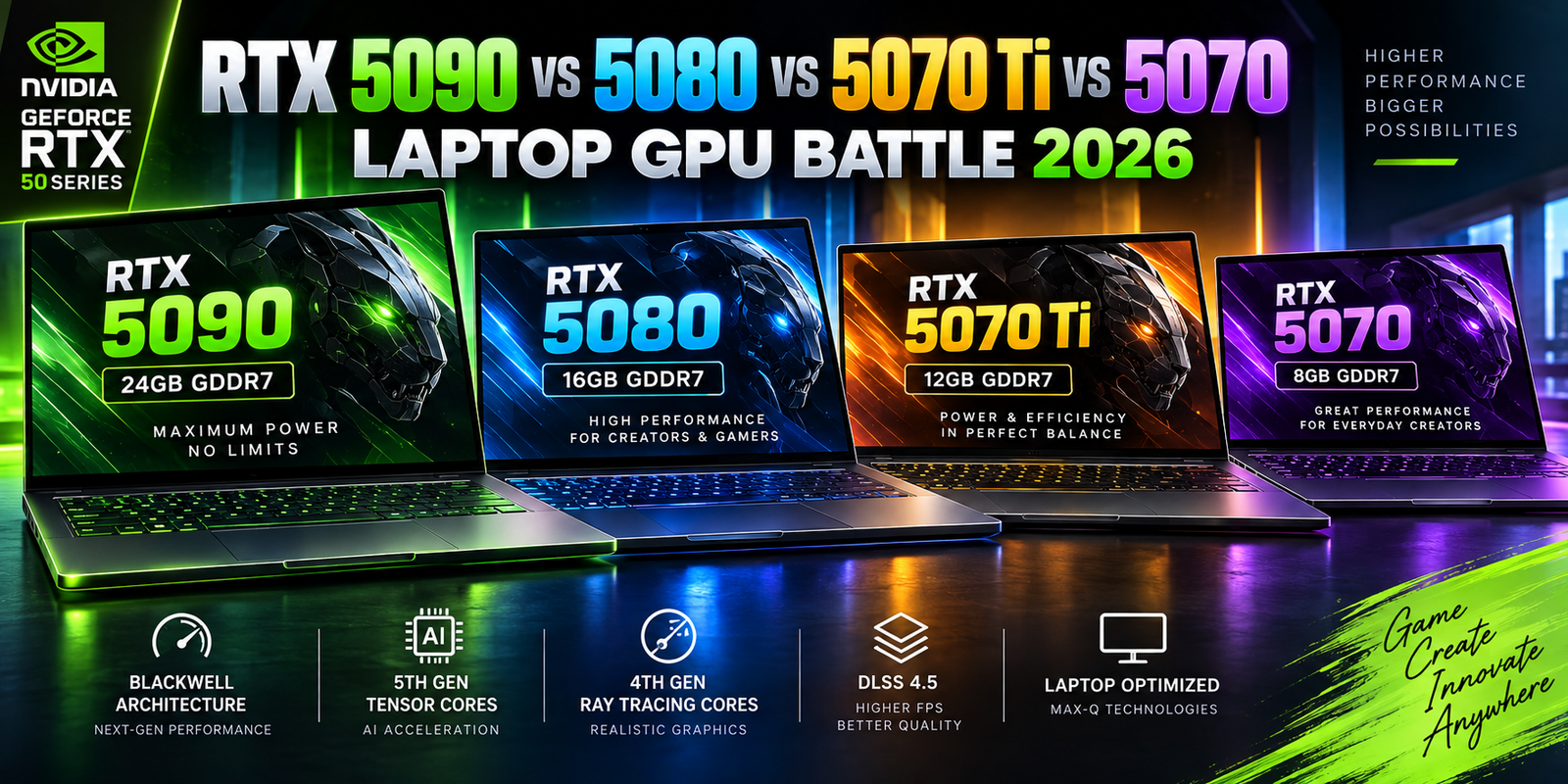
NVIDIA currently lists the GeForce RTX 5090 Laptop GPU with 10,496 CUDA cores and 24GB of GDDR7 memory, while the RTX 5080 Laptop GPU has 7,680 CUDA cores and 16GB of GDDR7. The RTX 5070 Ti Laptop GPU provides 5,888 CUDA cores with 12GB of GDDR7, while current RTX 5070 Laptop specifications can vary by configuration and should be checked carefully before purchase.
The differences become even more important for 3D rendering, AI development, video production, architecture, engineering, high-resolution gaming and professional creative software.
This advanced 2026 guide explains what separates NVIDIA’s premium RTX laptop GPUs and how to decide which level of performance actually makes financial and practical sense.
NVIDIA RTX 50-Series Laptop GPUs in 2026
NVIDIA’s RTX 50-series Laptop GPUs are built on the Blackwell architecture. The platform includes fifth-generation Tensor Cores for AI workloads and fourth-generation ray-tracing cores, while NVIDIA also uses Blackwell to support new neural-rendering technologies and its latest Max-Q efficiency features.
The RTX 50 laptop range currently extends from the RTX 5050 through the RTX 5090 Laptop GPU.
For premium buyers, however, the most important models are usually the RTX 5070, RTX 5070 Ti, RTX 5080 and RTX 5090.
These GPUs target significantly different workloads.
An RTX 5070 laptop may provide enough performance for gaming, photography, programming, content production and moderate GPU acceleration. An RTX 5070 Ti creates additional headroom for demanding video editing and 3D workloads.
The RTX 5080 moves into high-end creator and workstation-style territory, while the RTX 5090 Laptop GPU is designed for buyers who can make practical use of extremely high GPU compute performance and a large 24GB graphics-memory pool.
The important word is “practical.”
Buying the fastest GPU available does not automatically provide the best laptop experience.
More GPU performance usually means higher cost, greater cooling requirements, higher power consumption and often a larger chassis.
RTX 5090 vs RTX 5080 vs RTX 5070 Ti vs RTX 5070 Specifications
The following comparison uses NVIDIA’s currently published laptop GPU specifications.
| Specification | RTX 5090 Laptop | RTX 5080 Laptop | RTX 5070 Ti Laptop | RTX 5070 Laptop |
|---|---|---|---|---|
| Architecture | Blackwell | Blackwell | Blackwell | Blackwell |
| CUDA Cores | 10,496 | 7,680 | 5,888 | 4,608 |
| AI TOPS | 1,824 | 1,334 | 992 | 798 |
| GPU Power Range | 95–150W | 80–150W | 60–115W | 50–100W |
| Standard VRAM | 24GB GDDR7 | 16GB GDDR7 | 12GB GDDR7 | Configuration dependent |
| Memory Interface | 256-bit | 256-bit | 192-bit | 128-bit |
| Memory Bandwidth | 896 GB/s | 896 GB/s | 672 GB/s | 384 GB/s |
| Tensor Cores | 5th Generation | 5th Generation | 5th Generation | 5th Generation |
| Ray-Tracing Cores | 4th Generation | 4th Generation | 4th Generation | 4th Generation |
| DLSS | DLSS 4.5 supported | DLSS 4.5 supported | DLSS 4.5 supported | DLSS 4.5 supported |
These numbers immediately show why the RTX 5090 is not simply a slightly faster RTX 5080.
Its larger CUDA-core count and 24GB VRAM capacity can become extremely important in professional workloads.
At the same time, the RTX 5080 provides the same listed 896 GB/s memory bandwidth as the RTX 5090 while using 16GB of GDDR7 memory. For many high-end users, that can make it a particularly interesting balance between extreme performance and overall laptop cost.
Why Laptop GPU Power Matters So Much
One of the most important specifications in any RTX laptop is GPU subsystem power.
NVIDIA lists the RTX 5090 Laptop GPU across a 95W to 150W range. The RTX 5080 spans approximately 80W to 150W, while RTX 5070 Ti systems can range from about 60W to 115W. RTX 5070 Laptop GPUs are listed in the 50W to 100W range.
That is a very large difference.
Imagine two laptops that both advertise “RTX 5080.”
One laptop may use a lower-power implementation designed for a thin chassis.
Another may allow the GPU to operate much closer to the top of its available power range while using a larger cooling system.
The second laptop can potentially maintain higher GPU clocks during long workloads.
This is why shoppers should never compare premium laptops only by GPU name.
You should also investigate power configuration, cooling capacity and sustained benchmark behavior.
Thin Laptop vs High-Power Laptop
Thin RTX laptops can be attractive because they combine portability with serious GPU acceleration.
But physics still matters.
A powerful GPU produces heat.
That heat needs to be transferred away from the processor using heat pipes, vapor chambers, fans and exhaust vents.
A thicker performance laptop has more room to move air and dissipate heat.
A very thin laptop may instead prioritize acoustics, portability and battery efficiency.
Neither design is automatically better.
A traveling photographer may prefer the thinner machine.
A 3D professional rendering projects for hours may prefer the larger machine capable of sustaining higher GPU power.
RTX 5090 Laptop GPU: When 24GB VRAM Becomes Important
The RTX 5090 Laptop GPU is NVIDIA’s flagship mobile GeForce option.
Its most important specification for many professional users may not actually be its core count.
It is the 24GB GDDR7 memory configuration.
VRAM is critical because GPU workloads need enough local graphics memory to hold textures, geometry, video frames, neural-network data and other computational resources.
If a workload fits comfortably inside VRAM, the GPU can process it efficiently.
If a project exceeds available graphics memory, performance can deteriorate significantly or the workload may fail entirely depending on the application.
This can matter in 3D rendering.
It can matter in complex architectural visualization.
It can matter in generative AI.
It can matter in high-resolution video production.
And it can matter for professional applications dealing with unusually large datasets.
The RTX 5090 Laptop GPU’s 24GB capacity therefore provides more than gaming headroom.
It can determine whether certain professional GPU workloads fit into local memory at all.
Who Actually Needs an RTX 5090 Laptop?
The RTX 5090 becomes most interesting for professionals whose workload scales directly with GPU compute and VRAM.
That includes some 3D artists, advanced video professionals, engineers, visual-effects creators, researchers and AI developers.
It can also appeal to gamers who want maximum available mobile graphics performance.
But office users, writers, general web developers and most business professionals are unlikely to gain proportional value from such an expensive GPU.
Buying a $4,000-class performance laptop to spend most of the day inside Microsoft 365 and Chrome would typically allocate money to a component that remains underused.
In those circumstances, battery life, RAM, display quality, keyboard comfort and warranty support may provide greater practical value.
RTX 5080 Laptop GPU: The High-End Balance
The RTX 5080 Laptop GPU may be one of the most strategically interesting options in the premium market.
It provides 7,680 CUDA cores, 16GB of GDDR7 memory and up to 1,334 AI TOPS according to NVIDIA’s current specification table.
Sixteen gigabytes of VRAM is substantial for a laptop.
For many video editors, 3D creators, game developers and AI enthusiasts, it may offer enough memory without requiring the additional cost of an RTX 5090 system.
The RTX 5080 is also available across a broad power range.
That means buyers should pay particular attention to the laptop chassis.
A high-power RTX 5080 in a well-cooled machine could be considerably more attractive than simply buying a poorly cooled flagship configuration based on model number alone.
Why RTX 5080 Can Make Sense for Creators
NVIDIA’s own Studio guidance places RTX 5080 and RTX 5090 Laptop GPUs in its highest creator category for demanding workflows and positions them for high-resolution video and advanced generative-AI work.
That does not mean every creator needs one.
Someone editing short 1080p videos for social media would probably not use the same resources as a professional working with complex multi-camera footage, GPU effects and high-resolution exports.
But users whose income depends on rendering or export time should think differently about laptop cost.
If a faster GPU saves meaningful time on every project, the productivity benefit can potentially justify the higher purchase price.
For a professional, hardware should be evaluated partly as a business tool.
RTX 5070 Ti Laptop GPU: A Strong Professional Middle Ground
The RTX 5070 Ti Laptop GPU occupies an important middle position.
NVIDIA lists 5,888 CUDA cores, 12GB GDDR7 memory, 672 GB/s memory bandwidth and a GPU subsystem power range of approximately 60W to 115W.
Twelve gigabytes of graphics memory gives the RTX 5070 Ti a meaningful advantage over lower-VRAM systems for heavier creative and GPU-compute workflows.
It can therefore make sense for users who need more than mainstream GPU performance but cannot justify flagship laptop pricing.
A photographer working with AI effects, a video creator handling advanced timelines, a developer experimenting with GPU workloads or a gamer using a high-refresh 1440p-class laptop display may find this tier attractive.
NVIDIA also places the RTX 5070 Ti Laptop GPU in its advanced creator category, between its mainstream mobile GPUs and the RTX 5080/5090 class.
RTX 5070 Laptop GPU: Check the Exact Configuration
The RTX 5070 Laptop GPU can be a good fit for mainstream premium laptops, but buyers need to pay close attention to the actual specification sheet.
NVIDIA’s current comparison data shows the RTX 5070 Laptop GPU with 4,608 CUDA cores, 798 AI TOPS and a 50W to 100W subsystem-power range. Current NVIDIA listings also indicate that memory configuration may differ, making the exact laptop model important to verify before purchase.
This is another example of why searching only for “RTX 5070 laptop” is not enough.
Two RTX 5070 laptops can differ in GPU power, CPU performance, system memory, display quality and cooling.
The more expensive laptop may deliver a better sustained experience even though both product listings mention the same graphics processor.
DLSS 4.5 Changes the Gaming Discussion in 2026
RTX 50-series laptops originally launched around NVIDIA’s DLSS 4 generation.
By 2026, that software stack has moved forward to DLSS 4.5.
NVIDIA introduced a second-generation transformer model for Super Resolution and later released Dynamic Multi Frame Generation for RTX 50-series GPUs. The updated technology can dynamically change frame-generation behavior to target a desired frame rate, while supported configurations can use Multi Frame Generation modes up to 6X.
In 6X mode, up to five additional frames can be generated for each traditionally rendered frame.
NVIDIA says the move from 4X to 6X Multi Frame Generation can increase 4K frame rates in supported path-traced workloads by up to 35 percent.
This has major implications for high-refresh laptop displays.
Modern gaming laptops increasingly use fast OLED and high-refresh LCD panels.
A powerful GPU paired with neural rendering can potentially drive much higher displayed frame rates than traditional rendering alone.
Generated Frames Are Not the Same as Native Rendering
Advanced buyers should still understand what frame generation does.
Multi Frame Generation is not equivalent to the GPU natively rendering every displayed frame.
AI-generated frames are inserted between traditionally rendered frames to improve visual smoothness.
For this reason, base rendering performance still matters.
Input latency still matters.
CPU performance still matters.
The quality of the game’s DLSS integration matters.
NVIDIA combines frame-generation technologies with Reflex to help reduce latency, but buyers should not treat an advertised generated-frame rate as identical to a completely native frame rate.
For competitive gaming, latency can sometimes be more important than visual smoothness.
Ray Tracing and Neural Rendering Are Becoming Closely Connected
Traditional rasterization remains important, but premium gaming GPUs increasingly rely on a combination of conventional rendering, ray tracing and AI reconstruction.
Blackwell introduces fourth-generation RT cores and fifth-generation Tensor Cores specifically designed to accelerate this modern pipeline.
Instead of brute-force rendering every pixel at the final output resolution, technologies such as DLSS can reconstruct higher-resolution output from a lower-resolution render.
Ray Reconstruction can replace traditional denoising approaches in supported ray-traced and path-traced workloads.
NVIDIA’s 2026 DLSS 4.5 update also introduced a newer Ray Reconstruction transformer model designed to improve stability and image quality in complex ray-traced scenes.
The practical result is that laptop GPU comparisons can no longer be based purely on raw shader performance.
Software features now contribute significantly to real-world gaming performance.
AI TOPS: Useful but Easy to Misunderstand
NVIDIA lists enormous AI TOPS figures for RTX 50-series Laptop GPUs.
The RTX 5090 Laptop GPU is rated at 1,824 AI TOPS.
The RTX 5080 is rated at 1,334.
The RTX 5070 Ti reaches 992.
The RTX 5070 reaches 798.
Those figures are far larger than the NPU TOPS numbers seen on modern AI laptop processors.
That does not mean the GPU replaces the NPU.
The two processors are optimized for different operating conditions.
An NPU is designed to handle supported AI workloads efficiently and can operate while consuming relatively little power.
A large RTX GPU can provide far more compute capability but may also consume considerably more energy.
This makes GPU acceleration attractive for demanding AI applications while an NPU can be better suited to persistent background AI features.
The modern AI laptop can benefit from having both.
RTX Laptop GPUs for Local Generative AI
Local AI is becoming an important reason to purchase a high-end GPU laptop.
A dedicated RTX GPU can accelerate workloads such as image generation, AI video tools, local inference, development experiments and various CUDA-supported frameworks.
For these users, VRAM becomes particularly important.
Larger models consume more GPU memory.
Higher-resolution generation consumes more memory.
Running multiple tools simultaneously can also increase requirements.
This is one reason a 24GB RTX 5090 Laptop GPU can be attractive for advanced local AI development.
The RTX 5080’s 16GB configuration also creates substantial room for many workloads.
The 12GB RTX 5070 Ti can serve lighter or intermediate projects.
However, users planning serious machine-learning work should confirm the memory requirements of their exact models before buying a laptop.
No GPU model is universally sufficient for every AI workload.
Video Editing and NVIDIA’s Ninth-Generation Encoder
RTX 50-series laptops also target professional media creation.
NVIDIA highlights its ninth-generation encoder as part of the Blackwell laptop platform and integrates its GPUs with NVIDIA Studio drivers and creator-focused software support.
Hardware encoding can reduce CPU workload when exporting or streaming supported video formats.
This becomes particularly valuable when creators work with high-resolution footage, multiple effects and tight deadlines.
But GPU selection should still reflect workflow complexity.
A content creator editing relatively simple 4K footage may not need an RTX 5090.
Someone using heavy effects, demanding codecs, AI tools, 3D assets and high-resolution production pipelines can benefit far more from a stronger GPU and larger VRAM capacity.
Max-Q Matters More Than Many Buyers Realize
NVIDIA Max-Q is not a single hardware component.
It is a collection of technologies designed to balance laptop performance, efficiency, thermals and acoustics.
Current Max-Q features include Dynamic Boost, Advanced Optimus, Battery Boost, Whisper Mode and CPU Optimizer.
Dynamic Boost can adjust power allocation between the CPU, GPU and GPU memory.
Advanced Optimus helps switch display paths to balance performance and battery life.
Battery Boost manages power consumption and frame-rate targets when the laptop is unplugged.
Whisper Mode can modify performance and fan behavior to reduce noise.
These technologies matter because laptops have strict thermal and power limitations that desktops do not.
A laptop GPU cannot be evaluated completely separately from the rest of the machine.
CPU Choice Still Matters in an RTX Laptop
It is easy to spend all your attention on the GPU.
That can create an unbalanced laptop.
Some gaming workloads become CPU limited.
Software compilation is usually CPU dependent.
General productivity remains CPU dependent.
Certain video operations depend heavily on both CPU and GPU.
A high-end RTX 5090 combined with an inadequate CPU would make little sense for many users.
Premium 2026 RTX laptops may pair NVIDIA GPUs with platforms such as Intel Core Ultra Series 3 or modern AMD Ryzen AI processors.
The correct combination depends on workload.
Gamers should investigate actual game benchmarks.
Creators should check performance in their editing or rendering software.
Developers should consider CPU cores, memory and virtualization support alongside GPU performance.
32GB RAM Should Be the Minimum for Many High-End RTX Buyers
A laptop with an RTX 5080 or RTX 5090 is a substantial investment.
Pairing such hardware with insufficient system memory can create unnecessary limitations.
For premium gaming and professional creative systems, 32GB of RAM is increasingly a sensible baseline.
Heavy creators may benefit from 64GB.
3D professionals, virtual-machine users, engineers and AI developers may require even more depending on their projects.
Upgradeability also matters.
Some premium laptops still provide replaceable SO-DIMM memory.
Others use soldered memory.
If the memory cannot be upgraded, choosing sufficient capacity at purchase becomes significantly more important.
SSD Capacity Can Become a Serious Limitation
Modern games can consume enormous amounts of storage.
Video files are even larger.
AI models can also require significant disk capacity.
For these reasons, a 512GB SSD can feel surprisingly small in a high-performance laptop.
A 1TB NVMe SSD should generally be treated as a practical starting point for premium machines.
2TB may be more appropriate for creators and gamers with large libraries.
Professionals should also check whether the laptop has a second M.2 slot.
Expandable storage can significantly improve long-term value.
Display Choice Should Match the GPU
Purchasing an extremely powerful GPU while choosing a weak display wastes some of the experience.
An RTX 5080 or 5090 laptop may be paired with high-refresh OLED, Mini-LED or fast IPS-class panels.
Resolution is particularly important.
A 1080p display requires less GPU power than 1600p or 4K.
High refresh rates also create greater performance demands.
For gaming, 240Hz or faster panels can benefit from technologies such as DLSS 4.5 and Reflex.
For creators, color accuracy, brightness, HDR performance and color-gamut coverage may matter more than extreme refresh rate.
A professional buying a laptop should therefore evaluate GPU and display as a combined system.
Battery Life Is Not the Main Strength of Maximum GPU Performance
Powerful RTX laptops can operate efficiently during light use when the dedicated GPU is inactive.
Modern hybrid graphics systems can allow integrated graphics to handle office tasks and web browsing.
However, demanding GPU workloads change the equation.
Gaming, rendering and AI processing can consume substantial power.
Users should not expect workstation-class GPU performance to continue for hours on battery power.
In many high-performance laptops, maximum GPU performance is available only while connected to the appropriate power adapter.
A professional who spends most of the day away from outlets may therefore benefit from choosing a lower-power laptop rather than the fastest possible GPU.
RTX 5090 vs RTX 5080 vs RTX 5070 Ti vs RTX 5070: Workload Guide
| Workload | More Practical Starting Point |
|---|---|
| General premium gaming | RTX 5070 |
| High-refresh 1440p/1600p gaming | RTX 5070 Ti |
| Heavy ray tracing and premium gaming | RTX 5080 |
| Maximum mobile gaming performance | RTX 5090 |
| Photography and GPU-assisted editing | RTX 5070 |
| Advanced video editing | RTX 5070 Ti / RTX 5080 |
| Complex 3D rendering | RTX 5080 |
| Very large 3D scenes | RTX 5090 |
| Local AI experimentation | RTX 5070 Ti / RTX 5080 |
| VRAM-heavy local AI | RTX 5090 |
| Professional creator workstation | RTX 5080 / RTX 5090 |
These are workload-oriented guidelines rather than absolute rules. Application requirements, power limits, cooling and budget should always be evaluated at the exact laptop-model level.
Why Warranty and Support Matter on Expensive RTX Laptops
Premium RTX laptops contain expensive components operating under considerable thermal stress.
A strong warranty can therefore have significant financial value.
Buyers spending several thousand dollars should investigate warranty duration, accidental damage coverage, onsite service options and repair turnaround.
Business users should also investigate whether parts and service will remain available throughout the planned ownership period.
The cheapest purchase price is not necessarily the lowest total cost of ownership.
A laptop used to earn income can become expensive very quickly if a hardware failure results in several days without a functioning workstation.
Should You Buy RTX 5090 or Save Money With RTX 5080?
For many buyers considering these two GPUs, VRAM should be one of the deciding factors.
The RTX 5090 provides 24GB.
The RTX 5080 provides 16GB.
If your applications regularly approach or exceed 16GB of GPU memory, the RTX 5090 can provide an important practical advantage.
If your workloads remain comfortably below that level, the RTX 5080 may deliver excellent performance while leaving more budget for RAM, SSD storage, display quality or warranty coverage.
The exact laptop price difference matters.
A heavily discounted RTX 5090 system can change the calculation.
Likewise, a premium RTX 5080 machine with superior cooling and display quality can be more desirable than a poorly designed RTX 5090 laptop.
Should You Buy RTX 5070 Ti or RTX 5080?
This comparison is particularly interesting for creators.
The RTX 5070 Ti provides 12GB GDDR7 and a 192-bit memory interface.
The RTX 5080 increases capacity to 16GB and uses a 256-bit interface, while NVIDIA lists 896 GB/s bandwidth for the RTX 5080 compared with 672 GB/s for the RTX 5070 Ti.
That additional memory capacity and bandwidth can matter in demanding professional workloads.
For occasional video editing and gaming, the 5070 Ti may be enough.
For users whose work involves heavy GPU rendering, advanced effects, AI processing or larger scenes, the RTX 5080 can offer more useful long-term headroom.
Final Thoughts
NVIDIA’s RTX 50-series Laptop GPUs have made mobile computers extraordinarily powerful, but they have also made laptop buying more complicated.
The RTX 5090 Laptop GPU delivers 24GB of GDDR7 memory and the highest compute capability in NVIDIA’s mobile GeForce range.
The RTX 5080 provides 16GB and can offer an attractive balance for serious gamers, creators and developers.
The RTX 5070 Ti’s 12GB configuration creates a strong middle ground for demanding users who do not need flagship hardware.
The RTX 5070 targets a broader range of premium laptops and can provide strong performance when paired with an appropriate power configuration and cooling system.
In 2026, however, buyers should not judge these GPUs only by their names.
GPU power limits, cooling design, system memory, VRAM, storage capacity, processor choice, display resolution, warranty and software support can all change the real value of a laptop.
DLSS 4.5 also demonstrates how quickly laptop graphics are becoming software-defined. Dynamic Multi Frame Generation, up to 6X modes in supported titles, neural rendering and improved Ray Reconstruction mean that AI now plays a major role in the way graphics performance is delivered.
For buyers spending premium money, the best strategy is therefore not simply to purchase the highest GPU number available.
Choose the laptop whose complete hardware configuration matches the applications you actually use, the amount of VRAM your projects genuinely need and the level of sustained performance your cooling system can support.
That approach is far more likely to produce a laptop that remains productive, responsive and valuable throughout several years of demanding use.