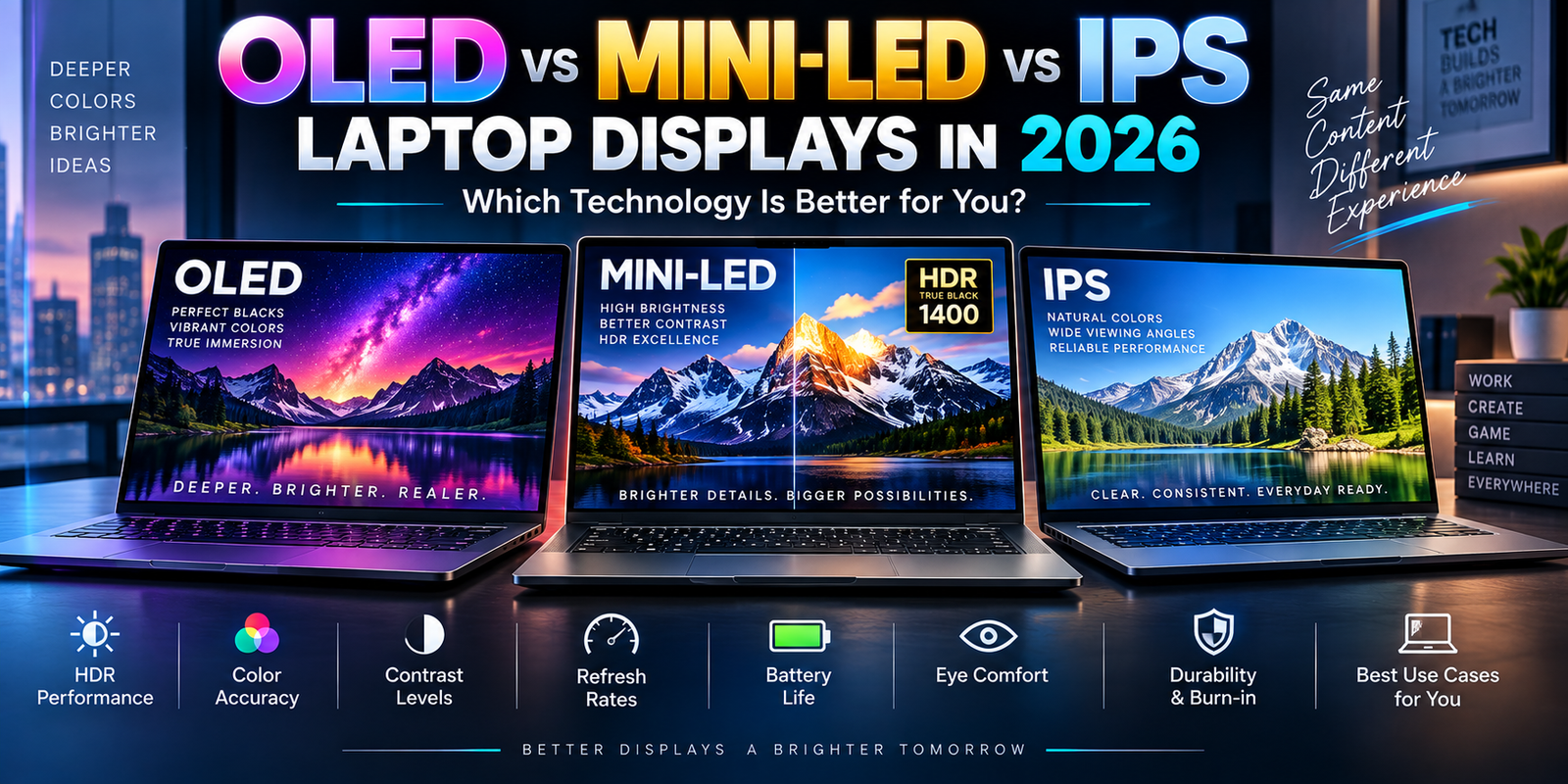
OLED vs Mini-LED vs IPS Laptop Displays in 2026: Advanced Buying Guide for Creators, Business Users and Gamers
Laptop performance discussions usually begin with the processor and graphics card, but the display is the component you interact with every minute the computer is in use. A fast CPU or expensive RTX GPU cannot compensate for a screen that is too dim, poorly calibrated, uncomfortable for long working sessions or unsuitable for the type of content being created.
In 2026, laptop display technology is changing rapidly.
OLED panels have moved far beyond their earlier position as premium entertainment screens. New tandem OLED laptop panels are pushing brightness much higher while maintaining extremely deep black levels. Mini-LED remains a powerful option for professionals who need very high sustained HDR brightness. Traditional IPS LCD technology continues to evolve as a practical choice for business laptops, coding systems and machines where battery life, price and long-term static-content use matter more than perfect blacks.
The choice is therefore no longer simply “OLED is better.”
OLED, Mini-LED and IPS each have technical advantages that make sense for different workloads.
A photographer may value pixel-level contrast and accurate colors. A video editor working with HDR footage may need sustained brightness. A software developer may display the same IDE interface for ten hours every day and care more about text quality, power consumption and long-term panel behavior. A gamer may prioritize response time and refresh rate.
Understanding these differences can prevent an expensive mistake when purchasing a premium laptop in 2026.
Laptop Display Technology Is Entering a New Phase in 2026
One of the biggest display developments of 2026 is the arrival of considerably brighter laptop OLED panels.
In July 2026, VESA introduced its new DisplayHDR True Black 1400 performance tier. The specification requires at least 1,400 cd/m² peak luminance and 700 cd/m² full-screen brightness while maintaining extremely low black levels associated with emissive display technology.
Samsung Display subsequently began supplying tandem OLED laptop panels designed around this new standard.
The company has been associated with upcoming and current laptop designs from manufacturers including Lenovo, ASUS, Dell and MSI. Reports around the new panels indicate peak brightness of up to approximately 1,600 nits in smaller highlight areas, which represents a substantial improvement over older laptop OLED generations.
That matters because peak brightness has traditionally been one of OLED’s disadvantages compared with high-end Mini-LED.
OLED has always been excellent at producing black.
The harder problem has been producing extremely bright highlights across large screen areas without excessive heat, power consumption or accelerated panel aging.
Tandem OLED architecture is helping narrow that gap.
What Is an OLED Laptop Display?
OLED stands for Organic Light Emitting Diode.
Unlike a conventional LCD panel, an OLED display does not rely on a separate backlight behind the pixels.
Each OLED pixel produces its own light.
When the display needs to show black, the relevant pixel can essentially turn off.
This gives OLED its most recognizable advantage: extremely deep black levels.
VESA notes that OLED pixels can be independently controlled and that an ultra-high-resolution OLED effectively has millions of individually controlled light-emitting areas rather than the much smaller number of dimming zones found in backlit displays.
The difference becomes immediately visible in dark scenes.
A star in a dark sky can appear bright while the surrounding pixels remain genuinely dark.
A conventional LCD must illuminate a larger area using a backlight, which can make dark portions of the image look gray rather than completely black.
This gives OLED exceptional perceived contrast.
What Is Tandem OLED?
Tandem OLED is becoming particularly important for premium laptops in 2026.
Traditional OLED designs generally use one primary light-emitting stack.
Tandem OLED uses multiple emissive layers working together.
The engineering goal is to improve brightness, efficiency and potentially panel longevity without giving up the fundamental advantages of self-emissive pixels.
Samsung’s 2026 laptop panels use a tandem architecture and are among the first laptop OLED displays to target VESA’s new True Black 1400 level.
This technology can be particularly valuable in mobile computers because laptops have strict thermal and battery limitations.
Manufacturers cannot simply increase power consumption indefinitely to increase brightness.
A more efficient light-producing structure can therefore be more useful than brute-force power.
What Is a Mini-LED Laptop Display?
Mini-LED is still an LCD technology.
The individual pixels do not create their own light.
Instead, the LCD layer sits in front of a backlight composed of a large number of very small LEDs.
These LEDs are grouped into local dimming zones.
The laptop can brighten or darken different zones depending on the image being displayed.
This can produce dramatically better contrast than a basic LCD panel with a simple backlight.
High-end Mini-LED systems can also deliver very high brightness.
Apple’s Liquid Retina XDR implementation provides a useful example of what this type of technology can achieve. Apple’s 16-inch MacBook Pro specifications list up to 1,000 nits sustained full-screen XDR brightness and up to 1,600 nits peak brightness for HDR content, alongside adaptive refresh rates up to 120Hz.
Those figures demonstrate why Mini-LED remains relevant even as OLED improves.
Sustained full-screen brightness can be extremely important for professional HDR work.
What Is an IPS Laptop Display?
IPS stands for In-Plane Switching.
It is a type of LCD panel that has been widely used in laptops for years.
IPS technology became popular because it offered better viewing angles and color consistency than many older LCD technologies.
Modern IPS laptop displays vary enormously.
A basic budget IPS panel may have limited brightness and color coverage.
A premium IPS panel may offer high resolution, wide color gamut, fast refresh rates and strong factory calibration.
This means the term “IPS” alone does not tell you whether a laptop display is good.
The actual specifications still matter.
Brightness, contrast, color gamut, color accuracy, refresh rate, response time and surface treatment need to be considered.
OLED vs Mini-LED vs IPS Laptop Display Comparison
| Display Characteristic | OLED / Tandem OLED | Mini-LED | Premium IPS |
|---|---|---|---|
| Pixel Lighting | Self-emissive pixels | LED backlight with local dimming | LED backlight |
| Black Level | Exceptional | Very good, depends on dimming zones | Moderate |
| Native Contrast | Extremely high | High with local dimming | Lower |
| HDR Highlights | Excellent on modern panels | Excellent | Depends heavily on panel |
| Sustained Brightness | Improving significantly | Usually a major strength | Moderate to high |
| Response Time | Extremely fast | Slower than OLED in most designs | Depends on panel |
| Viewing Angles | Excellent | Generally strong | Generally strong |
| Burn-In Risk | Possible under prolonged static usage | No OLED-style burn-in | No OLED-style burn-in |
| Blooming | Essentially absent | Possible around bright objects | Depends on implementation |
| Power Consumption | Content dependent | Backlight dependent | Usually predictable |
| Best Use Cases | Creators, media, gaming, premium laptops | HDR creation, bright environments | Business, coding, productivity |
| Typical Premium Cost | High | High | Low to high |
The table is a general technology comparison. Individual laptop panels can perform very differently, so buyers should evaluate the exact model rather than assuming every OLED or Mini-LED screen performs identically.
Why OLED Black Levels Are So Different
Black level is one of the areas where OLED maintains a fundamental technical advantage.
VESA’s current True Black certification allows a maximum black luminance of just 0.0005 cd/m² in its True Black tiers.
That creates an enormous contrast range.
Contrast does not only affect movies.
It affects photo editing.
It affects UI elements.
It affects games.
It affects how HDR highlights appear.
When a bright object appears directly beside a perfectly dark region, the difference creates a strong sense of depth.
Mini-LED can produce excellent blacks by turning off nearby dimming zones, but each zone still covers more than one pixel.
That creates the possibility of blooming.
Understanding Mini-LED Blooming
Blooming occurs when a bright object causes the backlight zone around it to illuminate neighboring dark pixels.
Imagine white subtitles on a completely black movie scene.
An OLED panel can illuminate only the subtitle pixels.
A Mini-LED display may need to activate a larger backlight zone around the letters.
The result can be a subtle halo.
The severity depends on several factors, including the number of dimming zones, display algorithm and brightness level.
More zones usually allow more precise control, but zone count alone does not guarantee better image quality.
Software tuning is equally important.
For most users, modern Mini-LED blooming may not be distracting.
For someone grading dark HDR scenes professionally, however, it may matter more.
OLED Response Time Is Excellent for Gaming
OLED pixels can change state very quickly.
This can make motion appear cleaner and reduce visible ghosting.
A high-refresh OLED laptop can therefore feel extremely responsive.
Refresh rate and response time should not be confused.
A 240Hz display refreshes the screen 240 times per second.
Response time describes how quickly pixels can transition between states.
A fast refresh rate combined with slow pixel transitions can still create visible motion blur.
OLED performs particularly well because it can combine high refresh rates with rapid pixel response.
This makes OLED attractive for premium gaming laptops.
However, gaming performance still depends on whether the GPU can produce enough frames to take advantage of the display.
A 240Hz screen provides limited benefit if a demanding game runs at 45 frames per second.
High Refresh Rate Matters Beyond Gaming
High refresh rates are increasingly useful in professional laptops too.
Scrolling web pages appears smoother.
Moving windows feels more immediate.
Digital drawing can feel more responsive.
Timeline navigation in creative applications can feel smoother.
Modern laptop displays may support 90Hz, 120Hz, 144Hz, 165Hz, 240Hz or even higher refresh rates depending on the target market.
Variable or adaptive refresh technologies can also reduce unnecessary power consumption by lowering the refresh rate when high speed is not required.
For a professional laptop, 120Hz can provide a useful balance.
It feels noticeably smoother than 60Hz while generally requiring less GPU demand than extreme esports-class refresh rates.
HDR Labels Can Be Misleading
One of the biggest mistakes laptop buyers make is assuming that the word “HDR” guarantees excellent HDR performance.
It does not.
A display may technically accept an HDR signal without being capable of producing meaningful HDR contrast or brightness.
This is why certification can be useful.
VESA’s DisplayHDR program evaluates criteria including brightness, black level, color gamut and other display characteristics.
For conventional DisplayHDR certification, higher tiers require increasingly strong brightness and contrast performance.
For OLED and other emissive displays, VESA uses DisplayHDR True Black.
In 2026, the True Black range now extends as high as True Black 1400.
Consumers should therefore distinguish between generic “HDR support” and a recognized HDR performance certification.
DisplayHDR True Black 1400 Is a Major 2026 Development
True Black 1400 changes one of the most important OLED limitations.
Historically, OLED delivered exceptional blacks but could not match high-end LCD technologies for maximum sustained brightness.
VESA’s new certification requires at least 1,400 cd/m² peak luminance while maintaining the extremely low black level associated with the True Black program.
It also requires 700 cd/m² full-screen luminance under the new tier’s criteria.
This gives premium laptop OLED displays a wider range of potential professional use cases.
A creator can benefit from both extremely deep blacks and powerful HDR highlights.
That does not automatically make Mini-LED obsolete.
It simply means the performance gap has become significantly smaller.
Color Gamut Matters More Than Marketing Terms
A wide color gamut allows a display to reproduce a larger range of colors.
Professional buyers may see references to sRGB, DCI-P3 and Adobe RGB.
These are different color spaces.
A laptop advertised as supporting 100% DCI-P3 can be attractive for video and entertainment-oriented creative work.
Photography workflows may have different requirements depending on their intended output.
Color gamut should not be confused with color accuracy.
A display can reproduce a wide range of colors while still reproducing those colors inaccurately.
Professional creators need both.
This is why factory calibration and measured Delta E performance can matter when selecting a workstation.
Factory Calibration Can Save Professional Users Time
A creator buying a premium laptop should investigate whether the panel is factory calibrated.
Calibration attempts to make the display reproduce colors according to a defined standard.
This becomes important when the same project moves between different devices.
A designer does not want a red logo to look orange on another calibrated display.
A photographer does not want skin tones to shift significantly between editing and output.
A video editor working within a defined color workflow needs predictable image reproduction.
OLED can provide excellent color performance, but OLED technology alone does not guarantee professional calibration.
The laptop manufacturer’s tuning still matters.
OLED Burn-In: The Risk Should Be Understood, Not Exaggerated
Burn-in remains one of the most discussed OLED topics.
It refers to permanent image retention caused by uneven wear of OLED pixels.
Static interface elements can be relevant because they repeatedly use the same pixels.
Examples include taskbars, application menus, browser controls and fixed game HUD elements.
ASUS acknowledges that displaying the same high-contrast image at high brightness for prolonged periods can contribute to image retention or burn-in. Its OLED Care system includes features such as Pixel Refresh and Pixel Shift designed to reduce the risk.
Lenovo similarly distinguishes between temporary image retention and longer-term image sticking on OLED ThinkPad and Legion systems.
This does not mean an OLED laptop will inevitably develop burn-in.
It means the technology has different long-term characteristics from LCD.
How Modern Laptops Reduce OLED Burn-In Risk
Manufacturers now use several protection mechanisms.
Pixel shifting can move static elements by tiny amounts so the same physical pixels are not continuously stressed.
Screen savers or pixel-refresh processes can also help distribute pixel usage.
Automatic taskbar hiding and shorter display sleep timers can reduce the amount of time static interface elements remain visible.
ASUS, for example, provides Pixel Refresh and Pixel Shift through its OLED Care system and recommends avoiding prolonged static, high-brightness content.
These protections are particularly relevant for users who intend to keep a laptop for several years.
Is OLED a Good Choice for Programming?
Programming presents an interesting OLED use case.
A developer may keep Visual Studio Code, JetBrains tools, terminals or browser debugging interfaces in nearly identical screen positions for hours.
This creates far more static content than watching video.
OLED can still provide excellent text clarity, contrast and overall image quality.
But buyers should consider their working pattern.
A developer who changes applications frequently and uses reasonable brightness may have a very different risk profile from someone who displays the same IDE layout at maximum brightness for twelve hours every day.
IPS remains an attractive alternative for static productivity workflows because traditional LCD technology does not face OLED-style burn-in.
For coding, display ergonomics may therefore matter more than dramatic contrast.
PWM and Low-Brightness Comfort Need Attention
Some OLED displays control brightness using pulse-width modulation, commonly called PWM.
The display rapidly switches light output in a way that is usually too fast to consciously notice.
Some users, however, report discomfort with particular implementations.
The issue is highly individual.
A screen that feels comfortable to one person may bother another.
Manufacturers are increasingly adding dimming controls intended to reduce visible or perceived flicker.
ASUS, for example, provides a Flicker-Free Dimming feature on some Lumina OLED laptops intended to reduce flickering, particularly at low brightness.
Anyone who already knows they are sensitive to display flicker should investigate measurements for the exact laptop model.
OLED Battery Life Is More Complicated Than Many Buyers Think
OLED power consumption changes with screen content because individual pixels produce their own light.
A mostly black interface may require relatively little light output.
A bright white webpage activates far more pixels.
This means two people using the same OLED laptop can experience different display power consumption depending on their applications and brightness settings.
IPS and Mini-LED have different backlight behavior.
The backlight remains an important component of their overall power consumption regardless of individual pixel color.
Resolution also matters.
A high-resolution display requires the graphics system to process more pixels.
Refresh rate matters too.
A 240Hz 4K-class panel can place greater demand on the system than a lower-resolution 60Hz screen.
For buyers prioritizing battery life, the exact laptop’s independent battery tests remain more useful than simply choosing one display technology.
Glossy vs Matte Can Matter as Much as Panel Technology
Many OLED laptops use glossy or semi-gloss surfaces.
Glossy coatings can improve perceived contrast and color richness, but reflections may become distracting in brightly lit rooms.
Matte displays reduce reflections but can slightly change perceived clarity or contrast.
The ideal surface depends on working conditions.
Someone editing video in a controlled studio may enjoy a glossy OLED screen.
A consultant working next to large office windows may prefer a matte or anti-reflective display.
Professional buyers should therefore evaluate surface treatment alongside panel technology.
Mini-LED Remains Excellent for HDR Professionals
OLED’s rapid improvement does not remove Mini-LED’s strengths.
Mini-LED can produce extremely high brightness while avoiding OLED-style burn-in.
That can be particularly valuable for workflows involving prolonged bright HDR content.
Apple’s Liquid Retina XDR display demonstrates this strength with up to 1,000 nits sustained full-screen XDR brightness and 1,600 nits peak for HDR content on its 16-inch MacBook Pro specification.
A colorist, video professional or photographer working in bright environments may therefore still prefer a high-quality Mini-LED implementation.
The tradeoff is that Mini-LED does not have true pixel-level illumination.
Local dimming is extraordinarily effective but is still zone-based.
IPS Still Makes Sense for Business Laptops
The premium laptop market can make IPS appear outdated.
That conclusion would be wrong.
IPS remains practical for many professional applications.
Business users often spend their day reading text, writing documents, working in spreadsheets and using web applications.
Perfect black levels provide limited productivity advantage in those tasks.
A high-quality IPS screen with strong brightness, excellent anti-glare treatment, good color accuracy and low power consumption can be an excellent business display.
IPS also avoids OLED burn-in concerns.
That can make it appealing for call centers, finance environments, dashboards and systems displaying static applications for long periods.
The technology can also reduce laptop purchase price.
Money saved on an expensive display might be better spent on additional RAM, SSD storage, extended warranty coverage or a stronger processor.
OLED vs Mini-LED for Video Editing
Video editing is one of the hardest display comparisons.
OLED provides outstanding black levels and excellent pixel response.
Modern tandem OLED panels are also becoming dramatically brighter.
Mini-LED provides exceptional HDR brightness and can sustain high luminance across larger portions of the display.
A professional editor should therefore examine the format of the content being produced.
Someone primarily editing SDR web content has very different requirements from someone mastering HDR projects.
Color accuracy, supported reference modes, calibration, peak brightness, sustained brightness and black level can all matter.
The panel technology alone cannot answer the question.
OLED vs Mini-LED for Photo Editing
Photographers usually benefit from excellent color accuracy, wide gamut and consistent viewing angles.
Both premium OLED and Mini-LED displays can perform extremely well.
OLED provides excellent shadow depth and contrast.
Mini-LED can provide very high brightness.
However, the photographer should pay particular attention to factory calibration, color-space coverage and whether the display profile integrates correctly with the editing workflow.
A cheaper, accurately calibrated display can sometimes be more useful than a visually spectacular screen with inaccurate colors.
OLED vs Mini-LED for Gaming
OLED has several advantages for gaming.
Response times are extremely fast.
Contrast is excellent.
High-refresh OLED panels can provide very clear motion.
Dark games benefit dramatically from deep black levels.
Mini-LED can produce brighter HDR highlights and avoids OLED burn-in concerns associated with static HUD elements.
Both technologies can therefore be excellent.
The best choice depends on the types of games played, brightness preferences and how the laptop is used outside gaming.
Someone using the same system for eight hours of office work followed by gaming may make a different decision from someone buying a dedicated gaming laptop.
Display Resolution Should Match Screen Size and GPU Power
Higher resolution is not automatically better.
A 4K-class laptop display contains significantly more pixels than a 1600p-class screen.
Those pixels require GPU resources when gaming or running graphics-heavy applications.
Text can look extremely sharp at high resolution, but the battery and GPU costs may not always justify the improvement on a small screen.
For many 14- to 16-inch laptops, resolutions around 2.5K to 3.2K can provide a strong balance between sharpness and performance.
Creators may still prefer higher resolutions.
Gamers may prefer slightly lower resolution combined with higher refresh rate.
The correct choice should reflect the workload.
Laptop Display Buying Guide by Workload
| Primary Workload | Display Type Worth Considering | Main Reason |
|---|---|---|
| Office Productivity | IPS / OLED | Efficiency or premium visual quality |
| Software Development | IPS / OLED | Text clarity and workspace quality |
| Professional Photography | OLED / Mini-LED | Color, contrast and wide gamut |
| HDR Video Editing | Mini-LED / Tandem OLED | High brightness and HDR performance |
| Competitive Gaming | High-refresh OLED / IPS | Fast response and refresh |
| Cinematic Gaming | OLED | Deep blacks and high contrast |
| 3D Content Creation | OLED / Mini-LED | Strong contrast and color |
| Long Static Dashboard Use | IPS / Mini-LED | No OLED-style burn-in concern |
| Movie Consumption | OLED | Pixel-level blacks |
| Bright Outdoor/Office Use | High-brightness Mini-LED / OLED | Visibility and HDR brightness |
These are starting points rather than fixed recommendations. The exact panel specification remains more important than the technology name.
What Specifications Should Matter Most in 2026?
A premium laptop display should be evaluated as a complete system.
Panel technology is only the beginning.
Peak brightness matters.
Sustained brightness matters.
Color accuracy matters.
Color-space coverage matters.
Resolution matters.
Refresh rate matters.
Response time matters.
Surface coating matters.
PWM behavior may matter.
HDR certification matters.
Burn-in protection may matter.
Battery impact matters.
Professional buyers should therefore resist product pages that reduce display quality to one marketing phrase such as “OLED HDR.”
The detailed specification is more valuable.
Should You Pay Extra for an OLED Laptop?
Paying extra for OLED makes sense when you will actually benefit from its strengths.
Creators can benefit from strong color and contrast.
Movie viewers can benefit from perfect blacks.
Gamers can benefit from extremely fast pixel response.
Premium business users may simply enjoy the better visual experience.
However, OLED is not automatically the best investment for every laptop.
A user who spends the entire day inside static spreadsheets may gain little practical productivity from perfect blacks.
If choosing OLED requires sacrificing memory, storage or warranty coverage, the cheaper display configuration could be the smarter purchase.
The entire laptop should be evaluated together.
Should You Wait for Tandem OLED?
Tandem OLED is one of the most important laptop display technologies emerging in 2026.
The new generation addresses brightness, one of OLED’s historic weaknesses.
VESA’s introduction of DisplayHDR True Black 1400 and Samsung’s mass production of compatible laptop panels show that the technology is moving into real commercial products rather than remaining a laboratory concept.
But waiting indefinitely for newer hardware rarely makes sense.
If a current laptop already meets your display requirements at a good price, it can still be an excellent purchase.
Early adoption of the newest display technology often comes with premium pricing.
Final Thoughts
Laptop displays in 2026 are becoming just as important as CPUs and GPUs when evaluating a premium computer.
OLED remains the leader in pixel-level black control, contrast and response time.
Tandem OLED is now addressing one of the technology’s biggest historical weaknesses by dramatically improving brightness. The arrival of VESA DisplayHDR True Black 1400 and new 2026 tandem OLED laptop panels marks a significant step forward for professional and premium laptop displays.
Mini-LED remains extremely competitive.
Its ability to provide high sustained brightness without OLED-style burn-in makes it particularly attractive for HDR creators and users who spend long periods displaying static interfaces.
Premium IPS displays remain relevant too.
For business users, programmers and cost-conscious professionals, a good IPS panel can provide excellent text quality, predictable long-term behavior and strong battery performance without significantly increasing laptop cost.
The best display therefore depends on the workload.
A creator may value OLED’s contrast.
An HDR professional may prioritize sustained Mini-LED brightness.
A developer may prefer a comfortable matte IPS screen.
A gamer may choose a high-refresh OLED because motion clarity matters most.
For premium laptop buyers in 2026, the smartest strategy is to ignore the display technology label by itself and examine the complete specification: brightness, HDR certification, color accuracy, refresh rate, resolution, surface coating, burn-in protection, battery impact and manufacturer warranty.
A laptop screen may remain in front of you for thousands of hours.
Choosing it carefully can matter more to the daily experience than a small difference in processor benchmark scores.